
Documentation
API Keys
Create and manage API keys for secure access to Rowland APIs
API keys provide secure access to our APIs. Each key includes configurable limits and security controls to help you manage access across your organization.
Creating API Keys
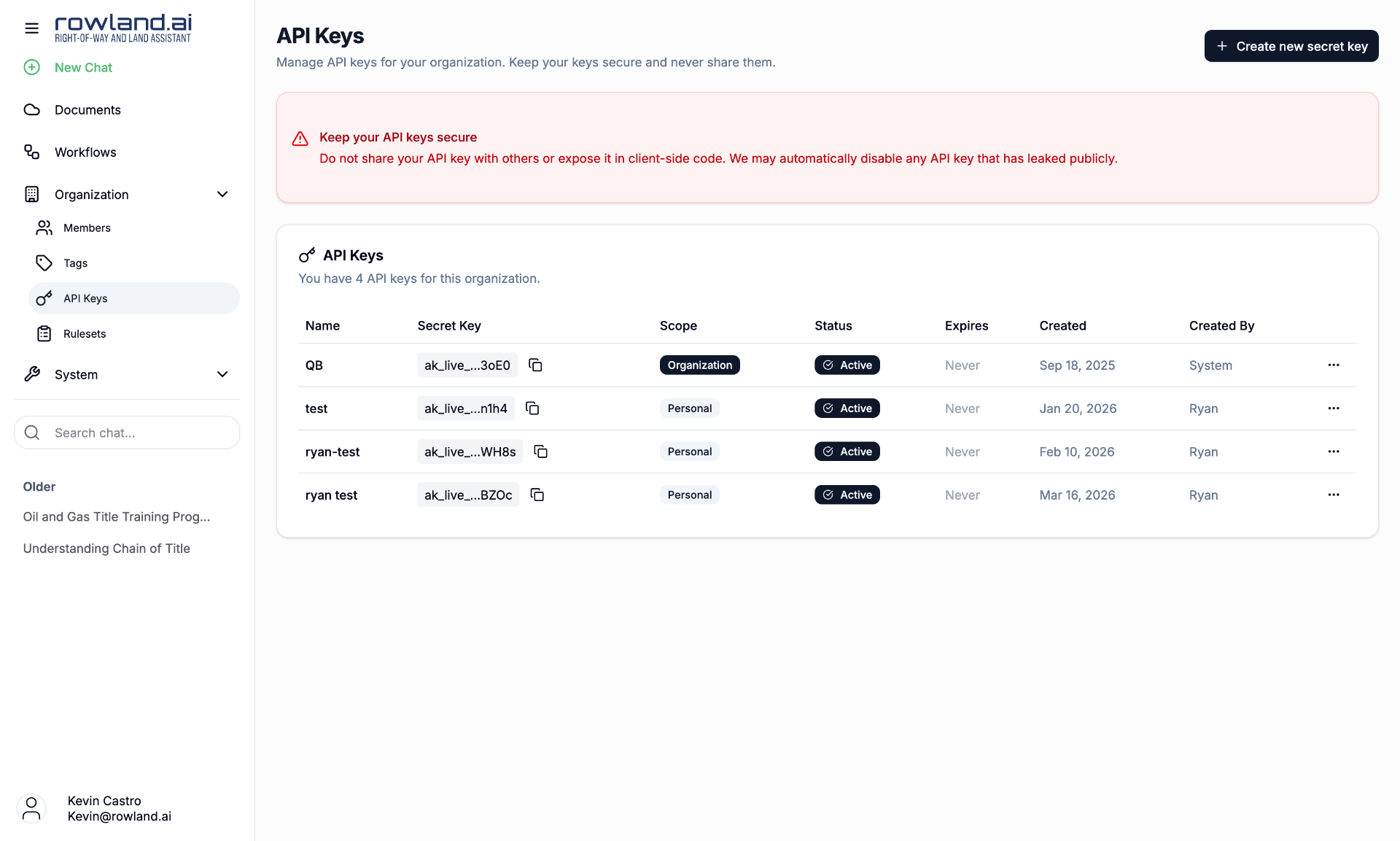
1. Generate a New Key
Click "Create new secret key" from your Rowland account to generate a new API key with the following options:
- Name (optional): A descriptive name for easy identification (e.g., "Production API Key", "Development Environment")
- IP Whitelist (optional): Restrict API access to specific IP addresses or CIDR blocks
- Expiration Date (optional): Set an automatic expiration date for the key
2. Save Your Key
Important: Your API key will only be displayed once. Save it securely, since you won't be able to view it again.
The key format is: ak_live_...
Using API Keys
Include your API key in the x-api-key header for all requests:
cURL
curl -X POST "https://api.rowland.ai/v0/documents" \
  -H "x-api-key: ak_live_your_key_here" \
  -F "file=@document.pdf"
Python SDK
from rowland import DocumentsApiClient

client = DocumentsApiClient(api_key="ak_live_your_key_here")
Security Features
IP Address Restrictions
Limit API access to specific IP addresses or ranges:
{
  "allowed_ips": [
    "192.168.1.100",
    "10.0.0.0/24",
    "203.0.113.0/27"
  ]
}
Supports both individual IPs and CIDR notation for network ranges.
Key Expiration
Set automatic expiration dates to enforce key rotation policies. Expired keys will be automatically disabled and return 401 Unauthorized responses.
Key Management
Active Status
- Active: Key can be used for API requests
- Inactive: Key is disabled and will return authentication errors
Key Rotation
For security, regularly rotate your API keys:
- Create a new API key with the same permissions
- Update your applications to use the new key
- Deactivate or delete the old key once migration is complete
Security Best Practices
Store keys securely. Keep API keys in environment variables or secure configuration management systems. Never commit them to version control or expose them in client-side code.
Use environment-specific keys. Create separate keys for development, staging, and production environments. This makes it easier to rotate keys and limits the blast radius if one gets compromised.
Implement proper access controls. Different applications or teams should use their own API keys. For production environments, consider using IP whitelisting and setting expiration dates that align with your security policies.
Monitor usage regularly. Keep an eye on your API key usage through the dashboard. Look out for unusual activity patterns and disable any keys that aren't being used.
Troubleshooting
401 Unauthorized: typically means there's an issue with your API key itself, it might be incorrect, inactive, or expired. Double-check that you're using the x-api-key header rather than Authorization.
403 Forbidden: usually indicates an IP restriction issue. If you've whitelisted specific IP addresses, make sure your requests are coming from those addresses.
429 Too Many Requests: means you've hit either your monthly document limit or rate limits. Check your current usage in the dashboard, and contact support if you need higher limits.
Key Compromise: if you suspect your API key has been compromised, immediately deactivate it in the dashboard and create a new one.